Examples
This page shows CLI runs derived from the desktop .swimc demo-state files
under demo_data. The commands pass only the data selections and workflow
choices that identify the demo. Range-like values such as value ranges, VTK
scalar ranges, slice indices, active attributes, and radius bounds are omitted
when Heliokit can infer them from the loaded data.
Prepare a demo workspace
Install the public package set:
python -m pip install heliokit
Point $DEMO_DATA at the extracted demo-data directory and $OUT at a
writeable output directory:
$DEMO_DATA = "D:\data\heliokit-demo-data"
$OUT = "D:\data\heliokit-demo-output"
New-Item -ItemType Directory -Force $OUT | Out-Null
Installing heliokit also installs component shortcut commands into the
active Python environment. For example, xy_line is equivalent to
heliokit run viz2d xy_line and volume is equivalent to
heliokit run viz3d volume.
Inspect the demo files
The .swimc files reference CDF, PLT, HDF5, and VTK data. Inspect the
available variables before running a new command:
heliokit data read cdf "$DEMO_DATA\1D\psp_fld_l2_mag_rtn_2020010300_v02.cdf"
heliokit data read plt "$DEMO_DATA\2D\CMF_ME.plt"
heliokit data read h5 "$DEMO_DATA\3D\coronal.h5"
heliokit data read vti "$DEMO_DATA\VTK\uniform_004.vti"
1D plotting
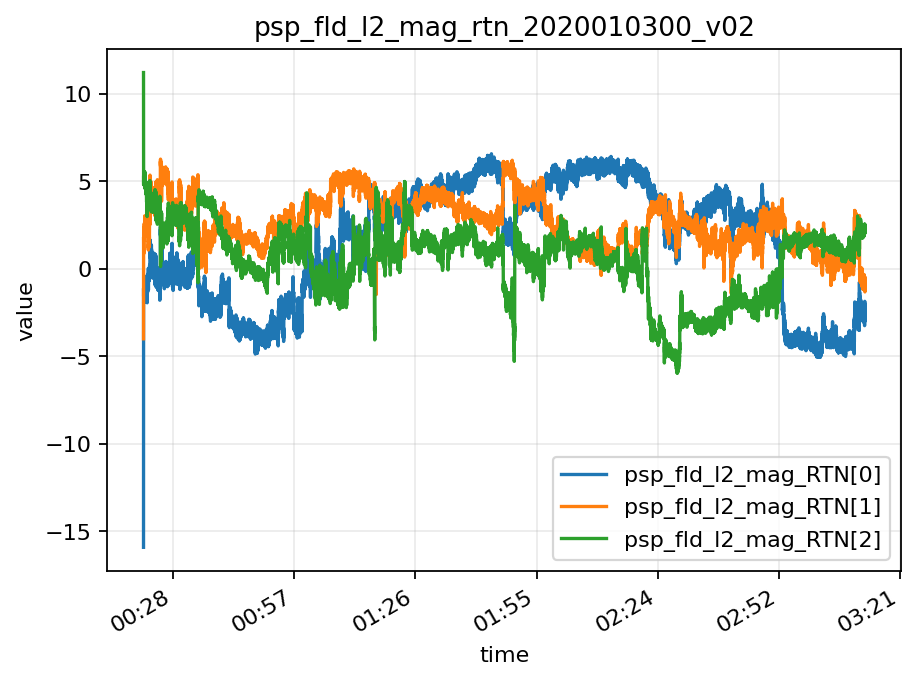
2026.3.9\XY-LINE.swimc selects epoch_mag_RTN as the X axis and the
three trailing-dimension components of psp_fld_l2_mag_RTN as Y series.
It also stores epoch_time_select as hh:mm. Use DATASET[INDEX] to
select the components and --epoch-time-format to reproduce the desktop
epoch-axis display:
xy_line `
  --input "$DEMO_DATA\1D\psp_fld_l2_mag_rtn_2020010300_v02.cdf" `
  --x epoch_mag_RTN `
  --y "psp_fld_l2_mag_RTN[0]" `
  --y "psp_fld_l2_mag_RTN[1]" `
  --y "psp_fld_l2_mag_RTN[2]" `
  --epoch-time-format "hh:mm" `
  --x-label time `
  --y-label value `
  --save "$OUT\xy_line_psp_rtn.png" `
  --no-show
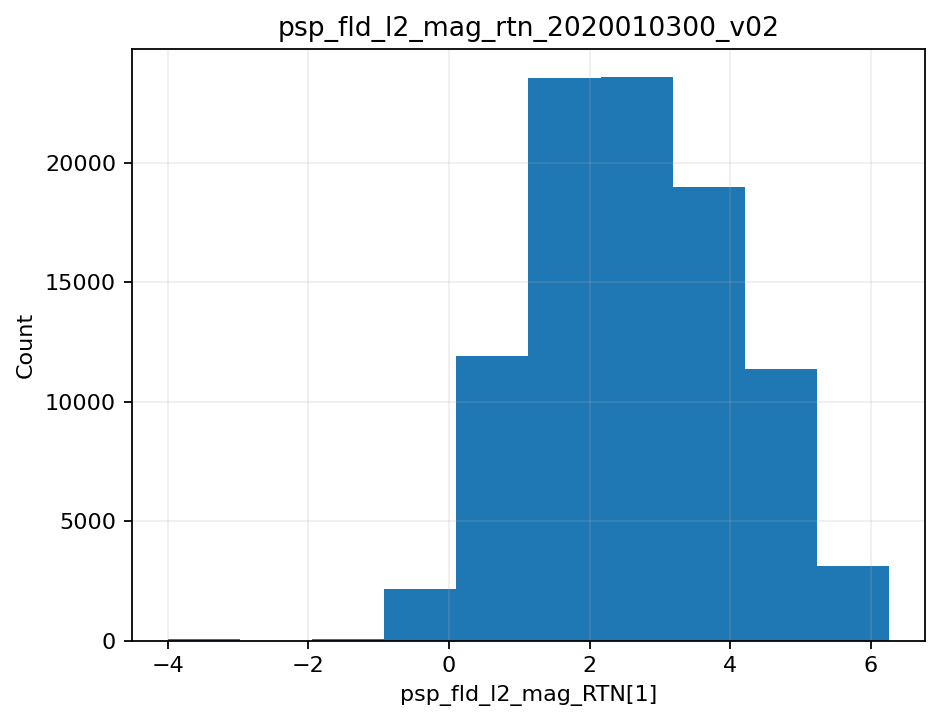
2026.3.9\HISTOGRAM.swimc uses the same PSP CDF data and a 10-bin desktop
setting. The value range is not passed, so Heliokit uses the finite min/max of
the selected component:
histogram `
  --input "$DEMO_DATA\1D\psp_fld_l2_mag_rtn_2020010300_v02.cdf" `
  --array "psp_fld_l2_mag_RTN[1]" `
  --bins 10 `
  --save "$OUT\histogram_psp_rtn_t.png" `
  --no-show
2D field and map visualization
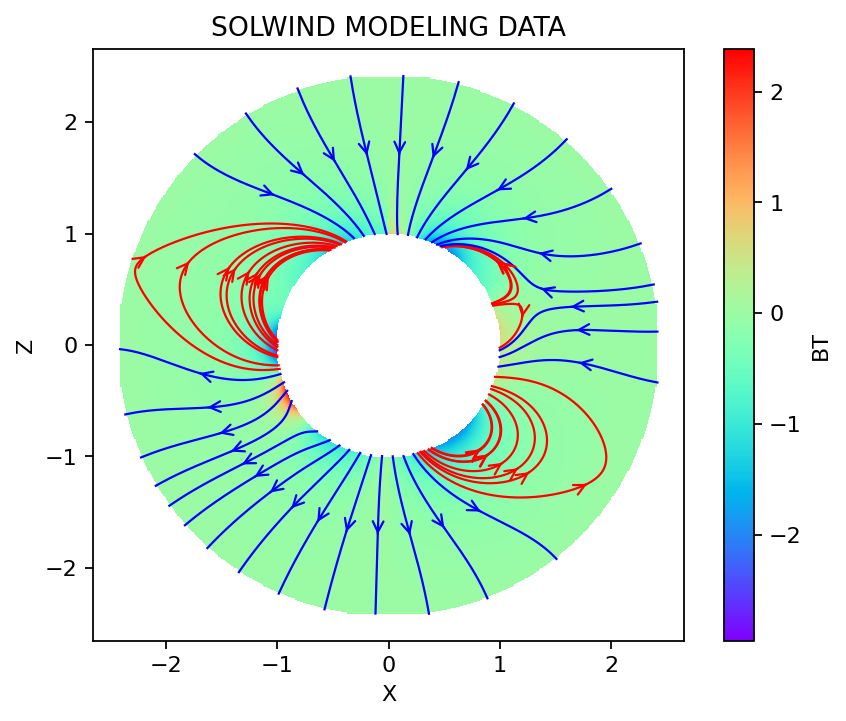
2026.3.20\2D_CMF.swimc selects X and Z as axes, BT as the
color field, and BX/BZ as the vector field from CMF_ME.plt. The
desktop state uses a 500-point regular resample grid, linear interpolation,
value range -2.956 to 2.383, radius range 0.999 to 2.439,
rainbow colors, 50 saved streamline seeds, step size 0.005, step count
15000, line width 1.0, one arrow per streamline, and close/open
streamline coloring. In close/open mode, closed streamlines use the desktop
default close color red and open streamlines use the desktop default open
color blue. The demo omits --colormap and uses the unified 2D default
rainbow+. Use --state to load the saved values, then pass the colors
explicitly so the command documents the open/closed-field distinction:
cmf `
  --input "$DEMO_DATA\2D\CMF_ME.plt" `
  --state "$DEMO_DATA\2026.3.20\2D_CMF.swimc" `
  --stream-color-mode close_open `
  --stream-close-color red `
  --stream-open-color blue `
  --save "$OUT\cmf_2d.png" `
  --no-show
Without --state, cmf still defaults to the common CMF variable names
(X, Z, BT, BX, and BZ), but omitted ranges are calculated
from the loaded data.
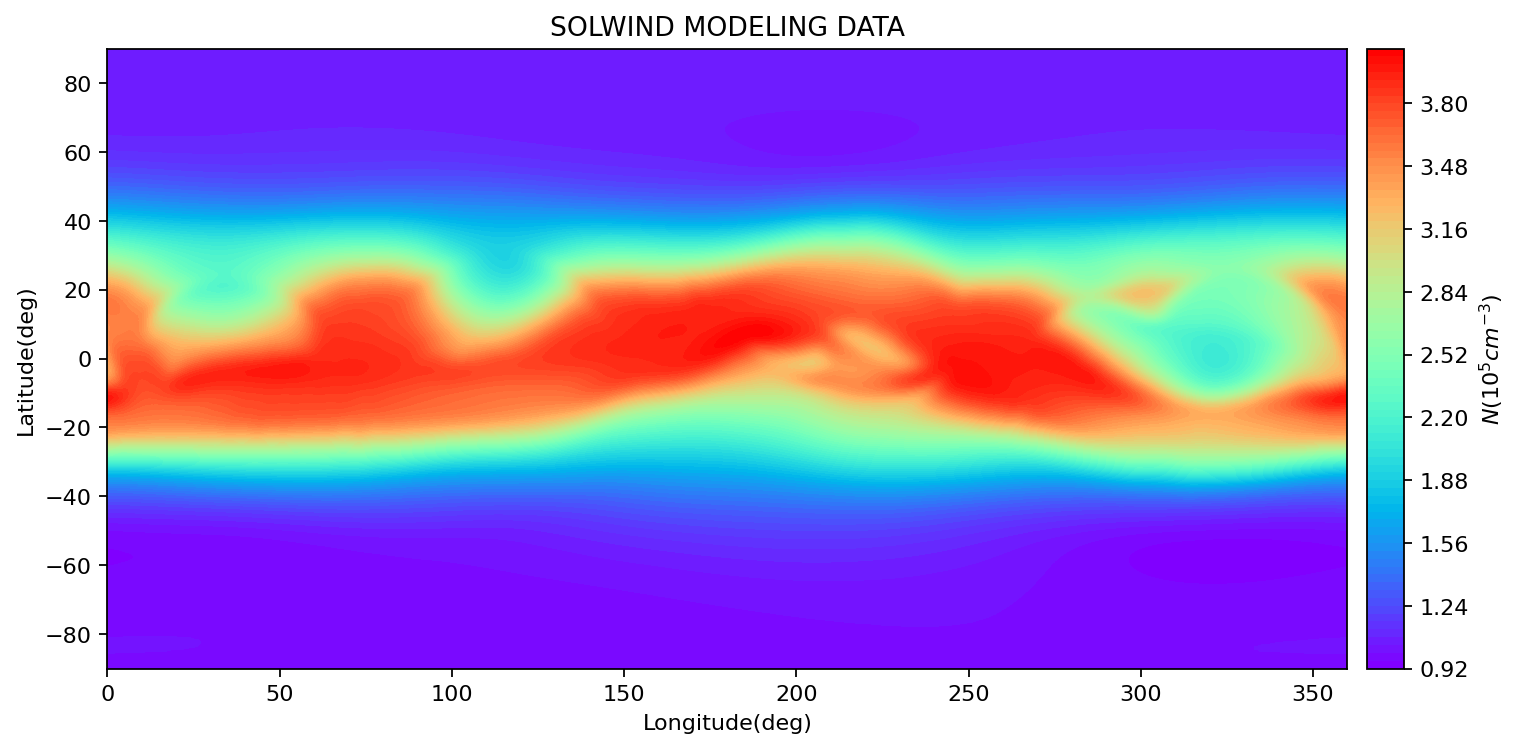
2026.6.18\2D_CARTESIAN.swimc is the magnetogram-style demo. It selects
longitude, latitude, and density from synoptic_02.6_0040_PP.PLT. The
generated colorbar is attached to the main plot axes so its height matches the
main plot height. The demo omits --colormap and uses the unified 2D default
rainbow+:
magnetogram `
  --input "$DEMO_DATA\2D\synoptic_02.6_0040_PP.PLT" `
  --x 'Longitude(deg)' `
  --y 'Latitude(deg)' `
  --value '$N(10^{5} cm^{-3})$' `
  --save "$OUT\magnetogram.png" `
  --no-show
Interactive plotting
Remove --no-show to open the native Matplotlib window. Keep --save if
you also want a PNG written to disk.
VTK 3D visualization
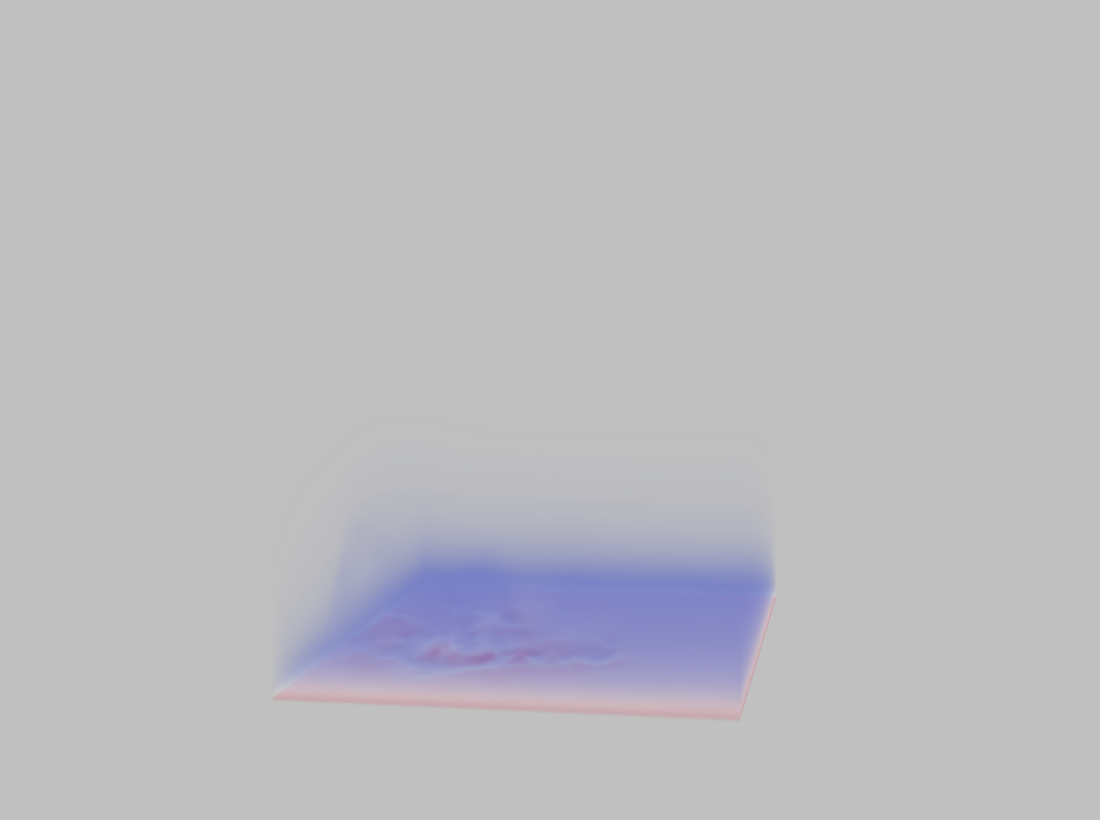
The vtk.swimc demo state references uniform_004.vti and selects the
density scalar for a volume rendering. The command below mirrors the
recorded desktop state: scalar range 0.0003670473916153143 to
1.3398037752185679, the desktop Cool to Warm transfer function, and the
saved camera. The VTK renderer uses the same Silver background as the
desktop VTK window. The CLI can open VTK’s own interaction window without the
PyQt desktop shell; --no-show is used here only to generate the
documentation screenshot.
volume `
  --input "$DEMO_DATA\VTK\uniform_004.vti" `
  --array density `
  --range 0.0003670473916153143,1.3398037752185679 `
  --color-map cool-to-warm `
  --camera-position 141.93935037892004,-336.3270820884202,102.95835537937725 `
  --camera-focal-point 56.010406494140625,64.0,64.00057239364833 `
  --camera-view-up=-0.0021733232164934005,0.0963949750021542,0.995340788604853 `
  --view-angle 30 `
  --clipping-range 247.86373674438792,618.0124990321124 `
  --save "$OUT\vtk_volume_density.png" `
  --no-show
Open the same demo interactively by removing --no-show:
volume `
  --input "$DEMO_DATA\VTK\uniform_004.vti" `
  --array density `
  --range 0.0003670473916153143,1.3398037752185679 `
  --color-map cool-to-warm `
  --camera-position 141.93935037892004,-336.3270820884202,102.95835537937725 `
  --camera-focal-point 56.010406494140625,64.0,64.00057239364833 `
  --camera-view-up=-0.0021733232164934005,0.0963949750021542,0.995340788604853 `
  --view-angle 30 `
  --clipping-range 247.86373674438792,618.0124990321124
OpenGL 3D domain views
PB, QFactor, and Twist are 3D OpenGL domain views. They are not VTK workflows,
so they render directly from the desktop shader stack instead of converting to
.vti first. The --state option reads the desktop .swimc file and
uses its selected data file, dataset names, per-dataset transpose settings,
radius ranges, view direction, color scales, and post-processing parameters.
--save is required because these CLI runners are headless. PB output also
masks pixels outside the saved outer radius so the result is a circular coronal
view rather than the raw rectangular OpenGL framebuffer. PB uses Greys- by
default; pass --colormap rainbow+ or --colormap rainbow- to choose
another direction. GPU rendering is the default. If the GPU check fails, add
--disable-gpu to use Mesa/software rendering.
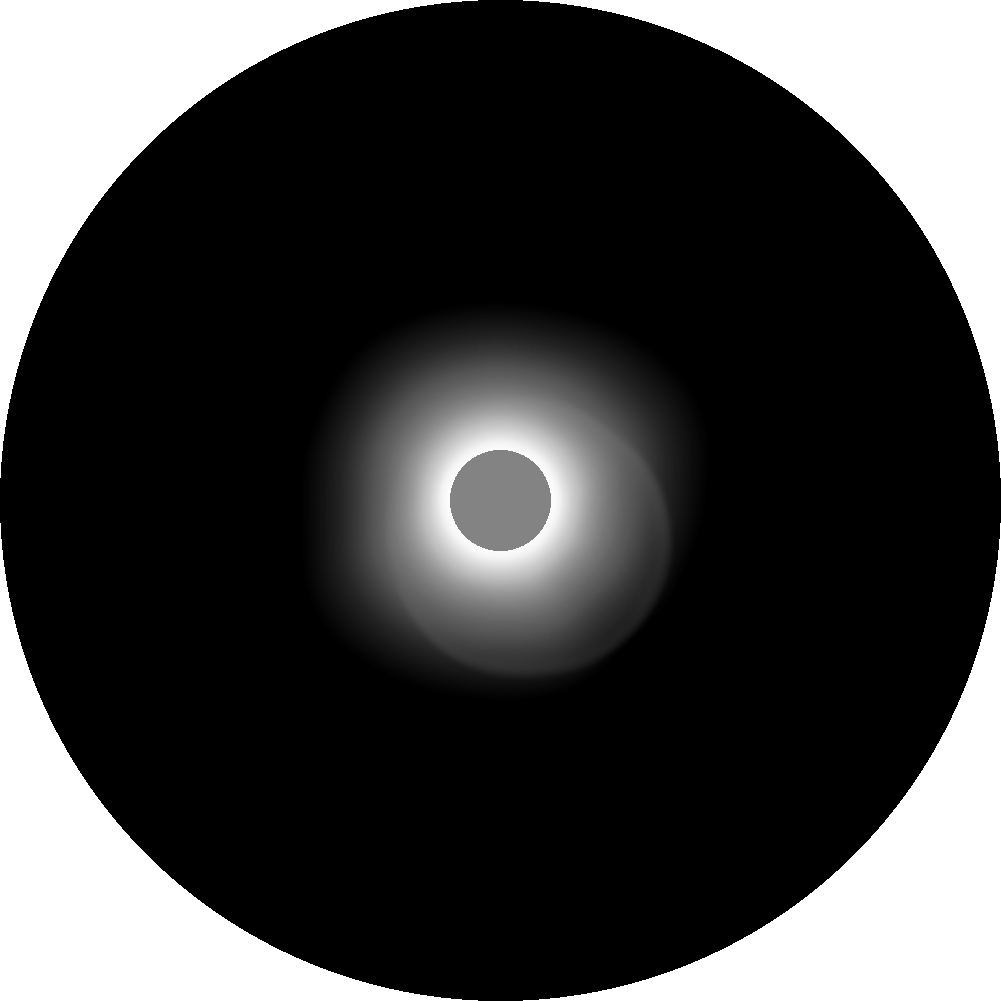
2026.3.9\PB.swimc renders the base polarization-brightness view from
21_pb.h5:
pb `
  --state "$DEMO_DATA\2026.3.9\PB.swimc" `
  --save "$OUT\pb_3d.png" `
  --no-show
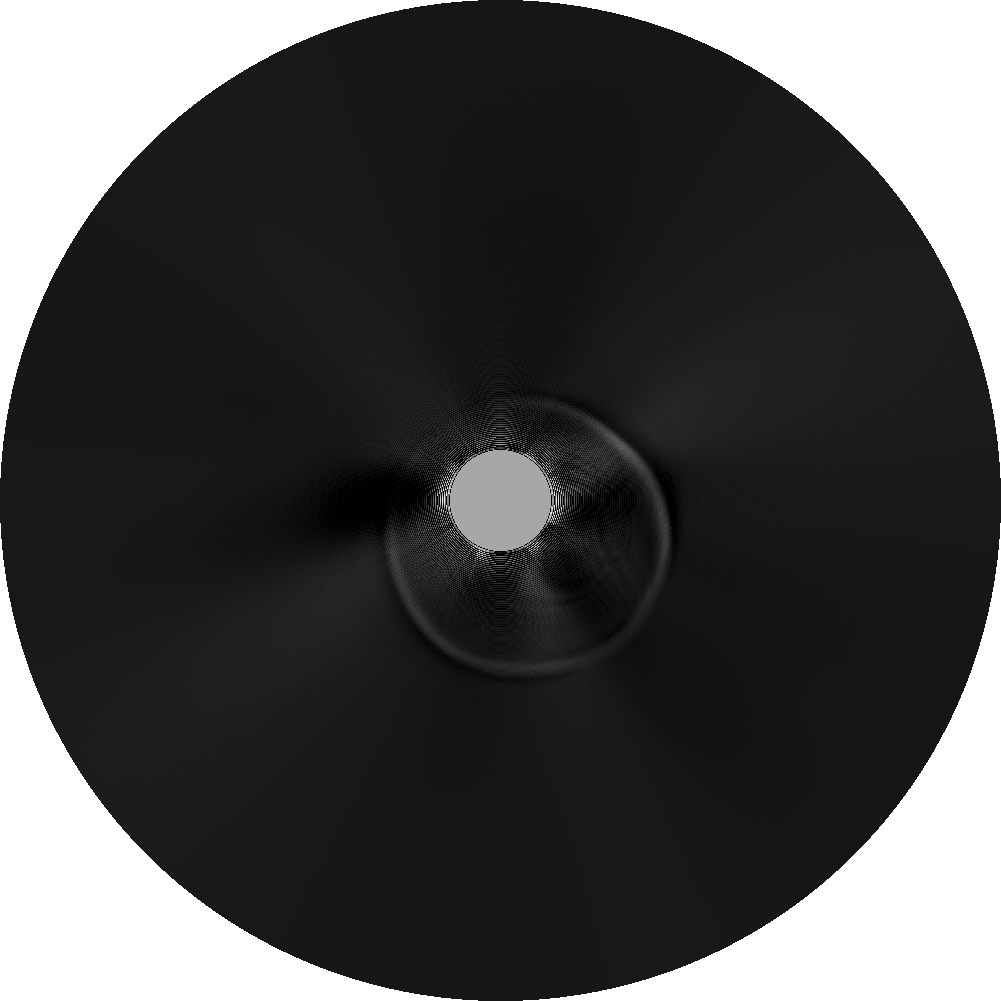
2026.3.9\PB_FNRGF.swimc applies the saved FNRGF splitter and passband
settings:
pb_fnrgf `
  --state "$DEMO_DATA\2026.3.9\PB_FNRGF.swimc" `
  --save "$OUT\pb_fnrgf_3d.png" `
  --no-show
2026.3.9\CQ.swimc renders coronal QFactor from
240305_1114_CR2281_038.h5:
cq `
  --state "$DEMO_DATA\2026.3.9\CQ.swimc" `
  --save "$OUT\qfactor_coronal_3d.png" `
  --no-show

2026.3.9\SQ.swimc renders solar-active-region QFactor from
uniform_003_q3d.h5:
sq `
  --state "$DEMO_DATA\2026.3.9\SQ.swimc" `
  --save "$OUT\qfactor_sar_3d.png" `
  --no-show
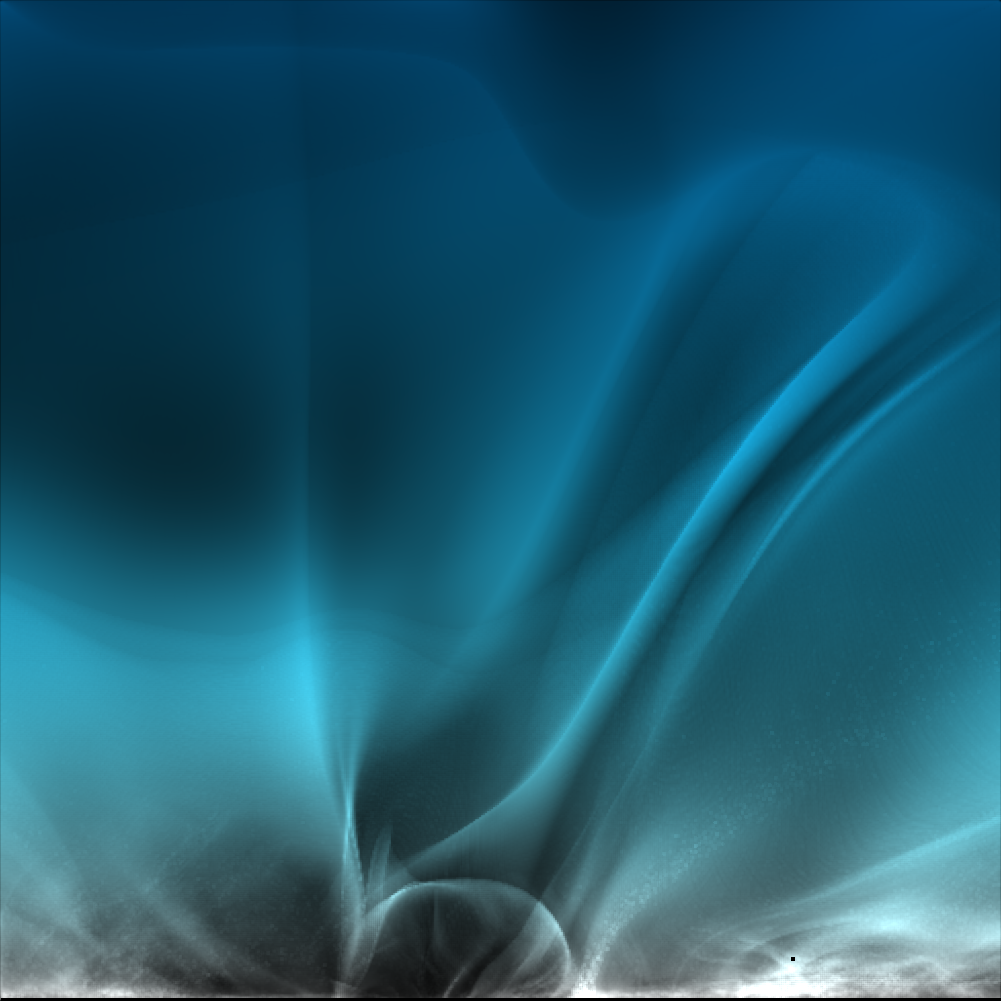
2026.3.20\CT.swimc renders coronal Twist from coronal.h5:
ct `
  --state "$DEMO_DATA\2026.3.20\CT.swimc" `
  --save "$OUT\twist_coronal_3d.png" `
  --no-show
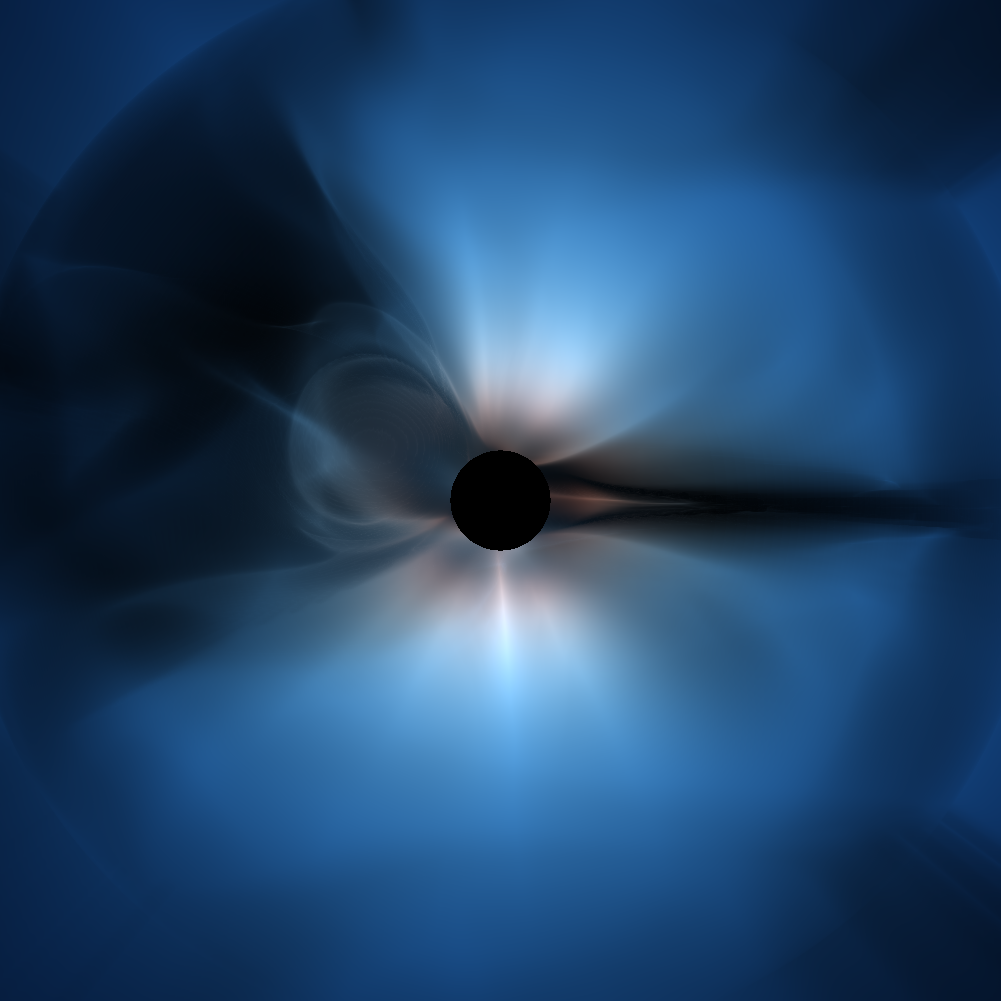
2026.3.9\SART.swimc renders solar-active-region Twist from
solar_active_region.h5:
sart `
  --state "$DEMO_DATA\2026.3.9\SART.swimc" `
  --save "$OUT\twist_sar_3d.png" `
  --no-show
Current CLI coverage
The table below records the demo-state mapping. Rows marked runnable have a real headless CLI runner today. A few registered components still depend on GUI-specific state and are documented separately in Command Reference.
Demo state |
Source data |
Main selected parameters |
CLI status |
|---|---|---|---|
|
|
|
Runnable: |
|
|
|
Runnable: |
|
|
|
Runnable: |
|
|
|
Runnable: |
|
|
|
Runnable: |
|
|
|
Runnable: |
|
|
|
Runnable: |
|
|
Longitude, latitude, density |
Runnable: |
|
|
|
Runnable: |
|
External eclipse HDF source path recorded in the state |
|
Runnable with |